RepCount on iPhone Duo
Your workout. Ready to unfold.
Log a set with your phone closed. Open it to see more of your workout, explore your progress, or look back through your training calendar. RepCount adapts to the space you have.
Free to start. No account or card needed.
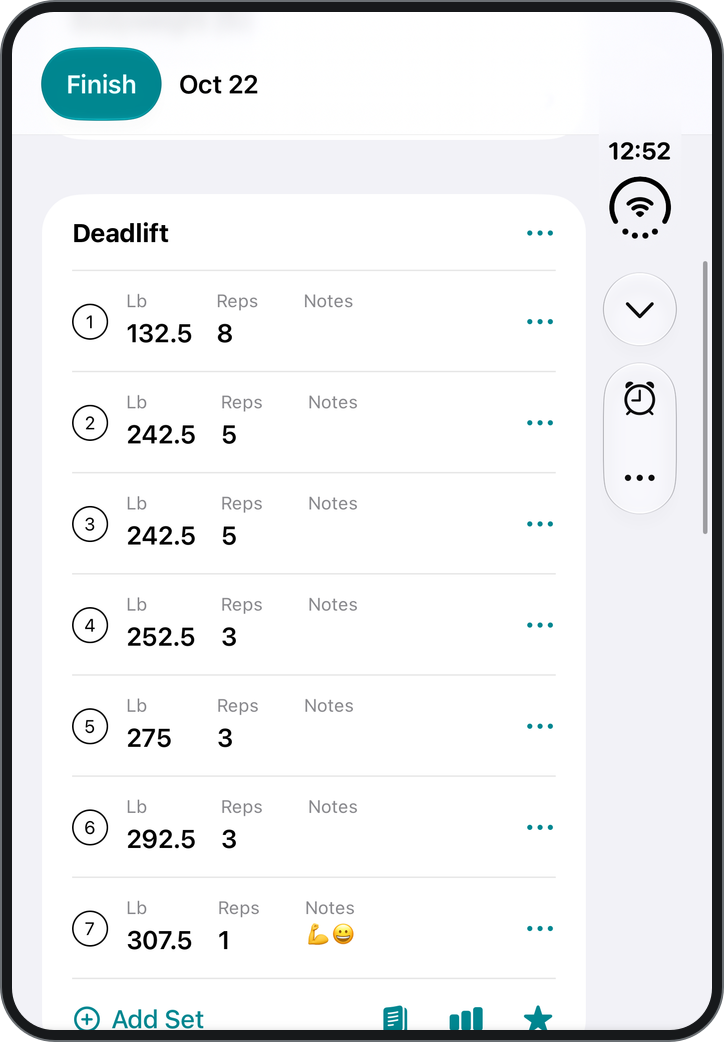
Your sets and your session, together.
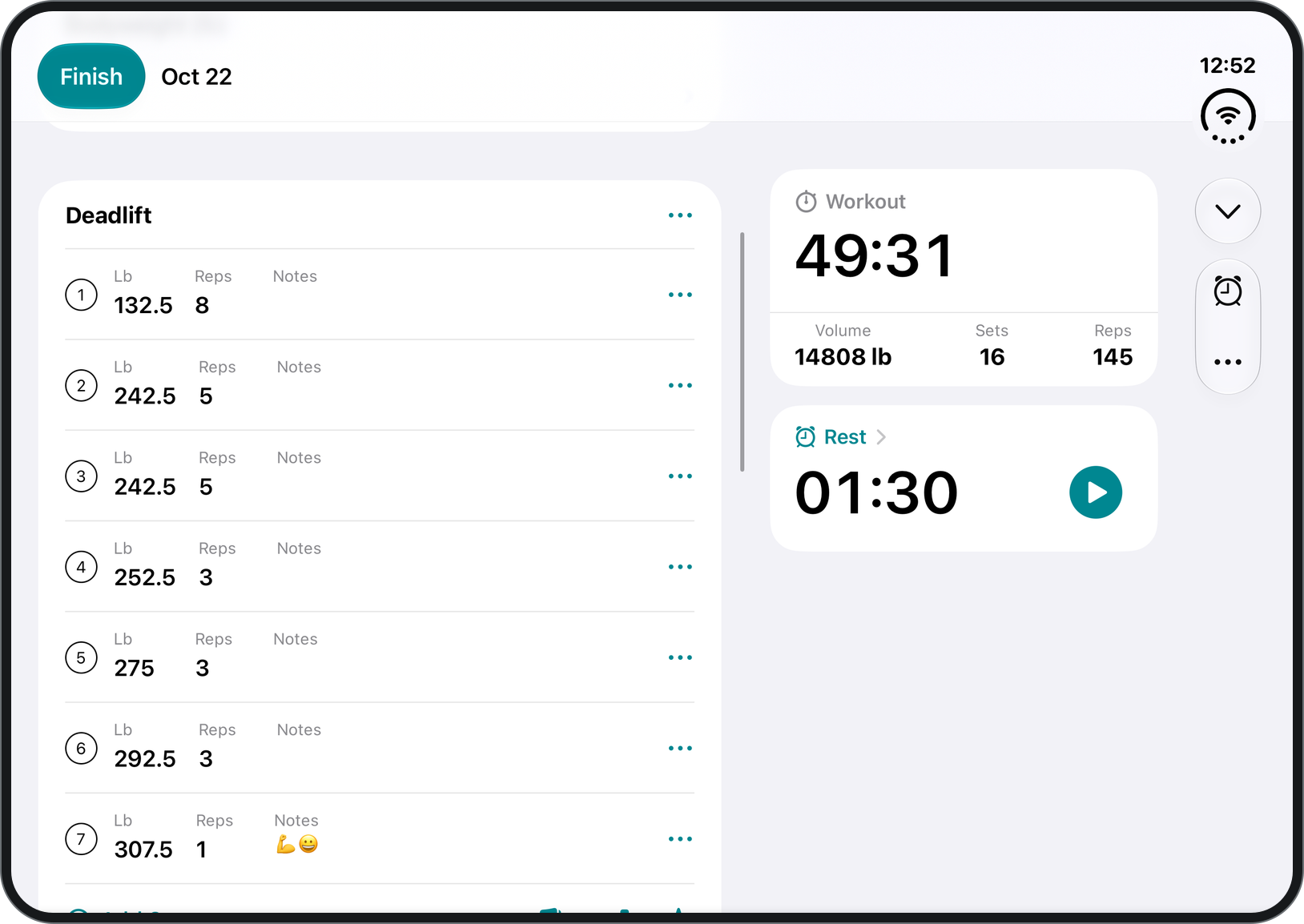
On a wide workout screen, a companion column puts your workout time, volume, sets and reps beside your exercises. The rest timer has a place there too, so you can keep your workout in view between sets.
More room for your progress.
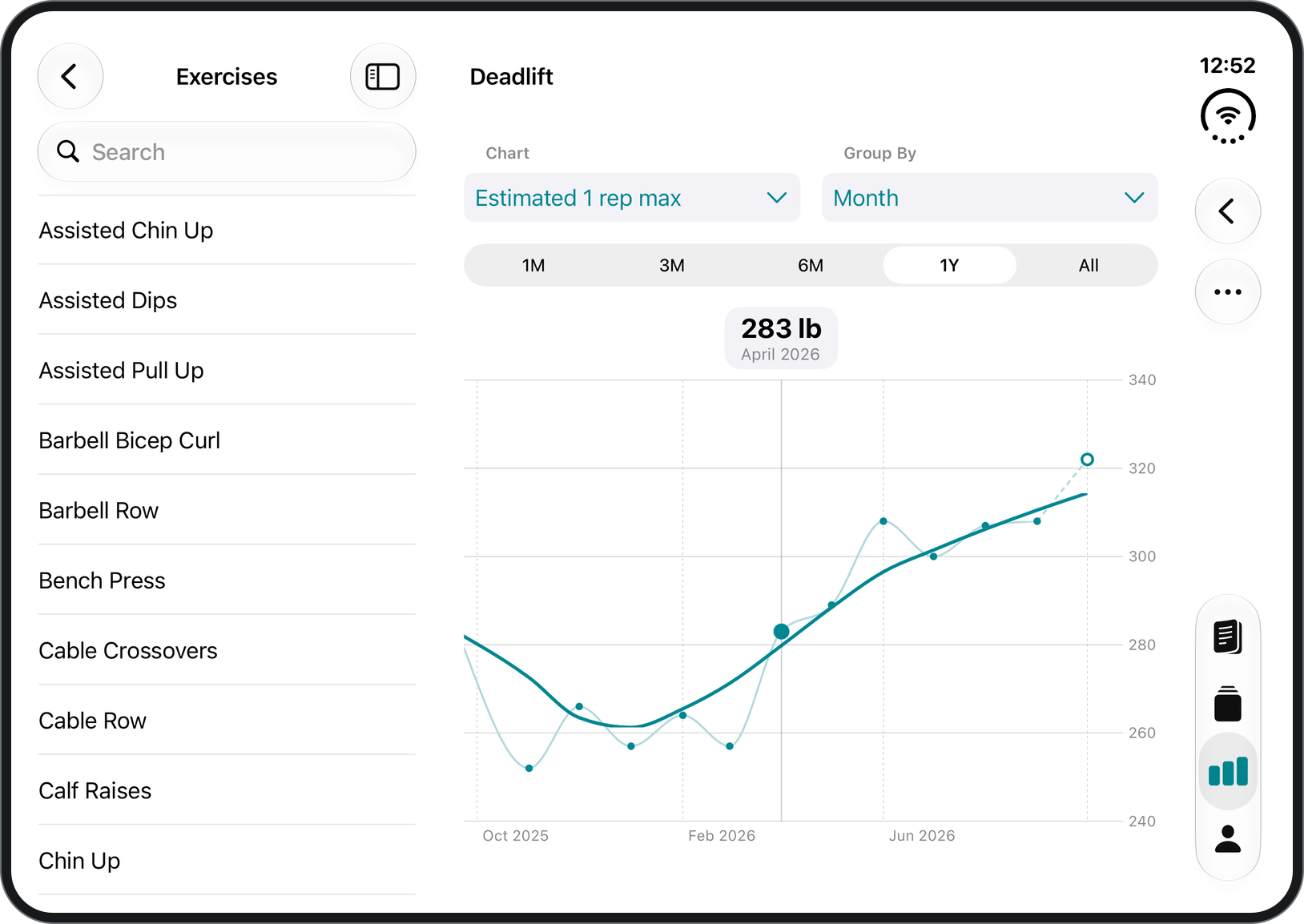
On the unfolded display, browse your statistics in one column and explore the selected page in the other. With Premium, follow your estimated one-rep max, training volume and personal records over time.
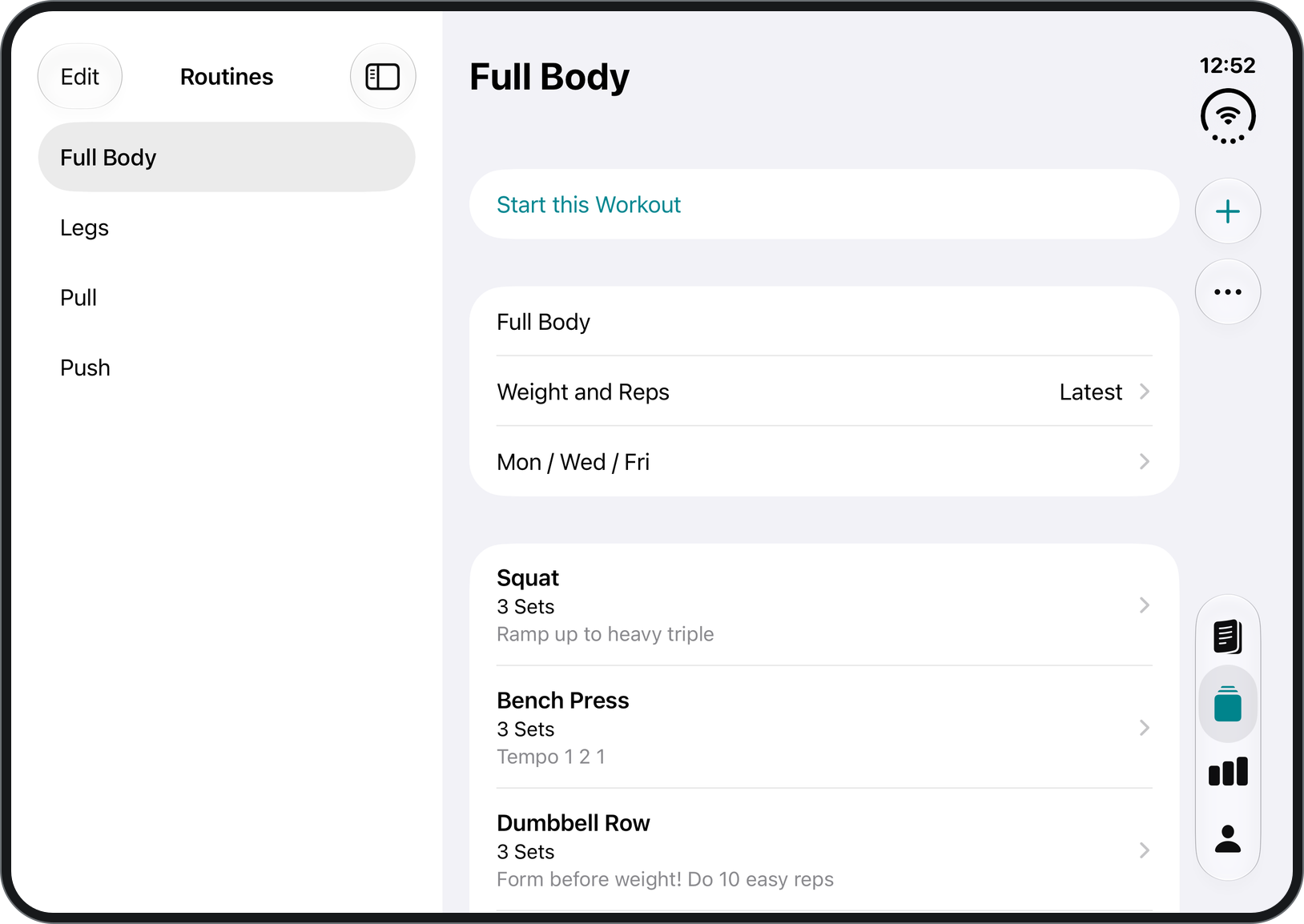
Your plan, ready for the next session.
Keep your routines organized, then choose one when you are ready to train. Workout logging, routines and custom exercises are unlimited and free.
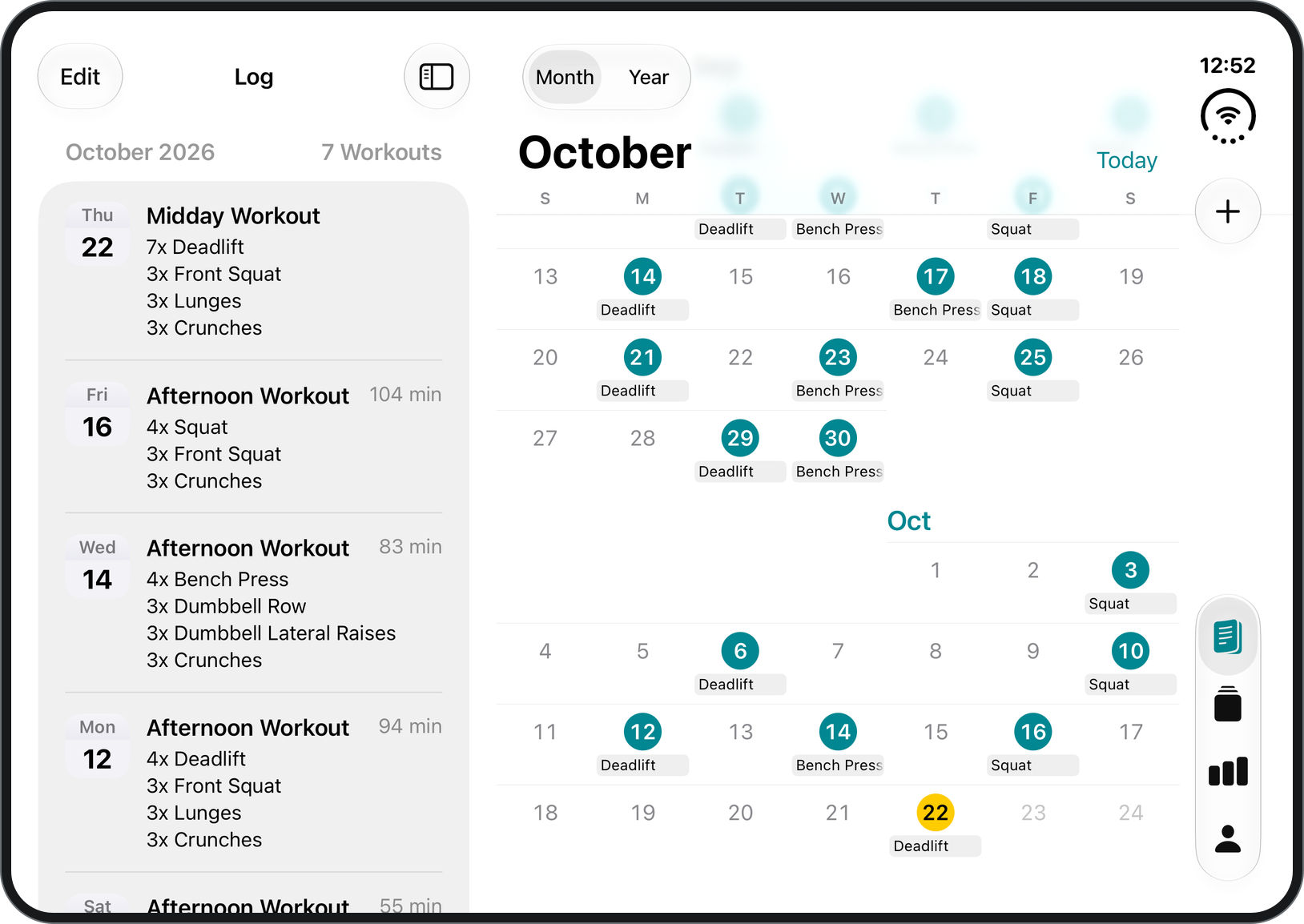
See when you trained.
Open the workout calendar to look back over a month or a year. On a wide display, your workout list and calendar sit side by side.
Questions about RepCount on iPhone Duo
Does RepCount work on iPhone Duo?
Yes. RepCount supports iPhone Duo, with layouts for the outer and unfolded displays. Update to version 10.11.0 or later for the latest Duo improvements.
What changes when I unfold iPhone Duo?
At wide widths, RepCount can show workout totals and the rest timer beside your sets. Statistics, routines and the workout calendar also make use of the larger display.
Can I log workouts with iPhone Duo closed?
Yes. Use the outer display to log exercises, weights, reps and notes, just as you would on another iPhone.
Do I need Premium to use RepCount on iPhone Duo?
No. You can log unlimited workouts, save unlimited routines and add custom exercises for free. The same Free and Premium features apply as on other iPhones. Detailed charts, personal records, supersets and drop sets require Premium.
Does RepCount still work offline?
Yes. RepCount supports offline workout logging on iPhone Duo, just as it does on other iPhones.
Does this update change RepCount on other iPhones?
RepCount still works on other supported iPhones. The calendar and updated statistics are also available there, and wide layouts appear when there is enough space.
Bring your next workout into view.
Download RepCount for iPhone Duo and start logging your training.
Free to start. No account or card needed.
RepCount 10.11.0 ·