RepCount for strength training
Bring your program. Remember every session.
RepCount is a workout tracker for weightlifting, built for people following their own strength-training program. Put your training days into RepCount, record what you actually lift, and come back knowing where you left off.
Unlimited workouts, saved routines and custom exercises are Free on iOS and Android.
Follow a session ↓01 · Before you train · Free
Save the routine you already follow
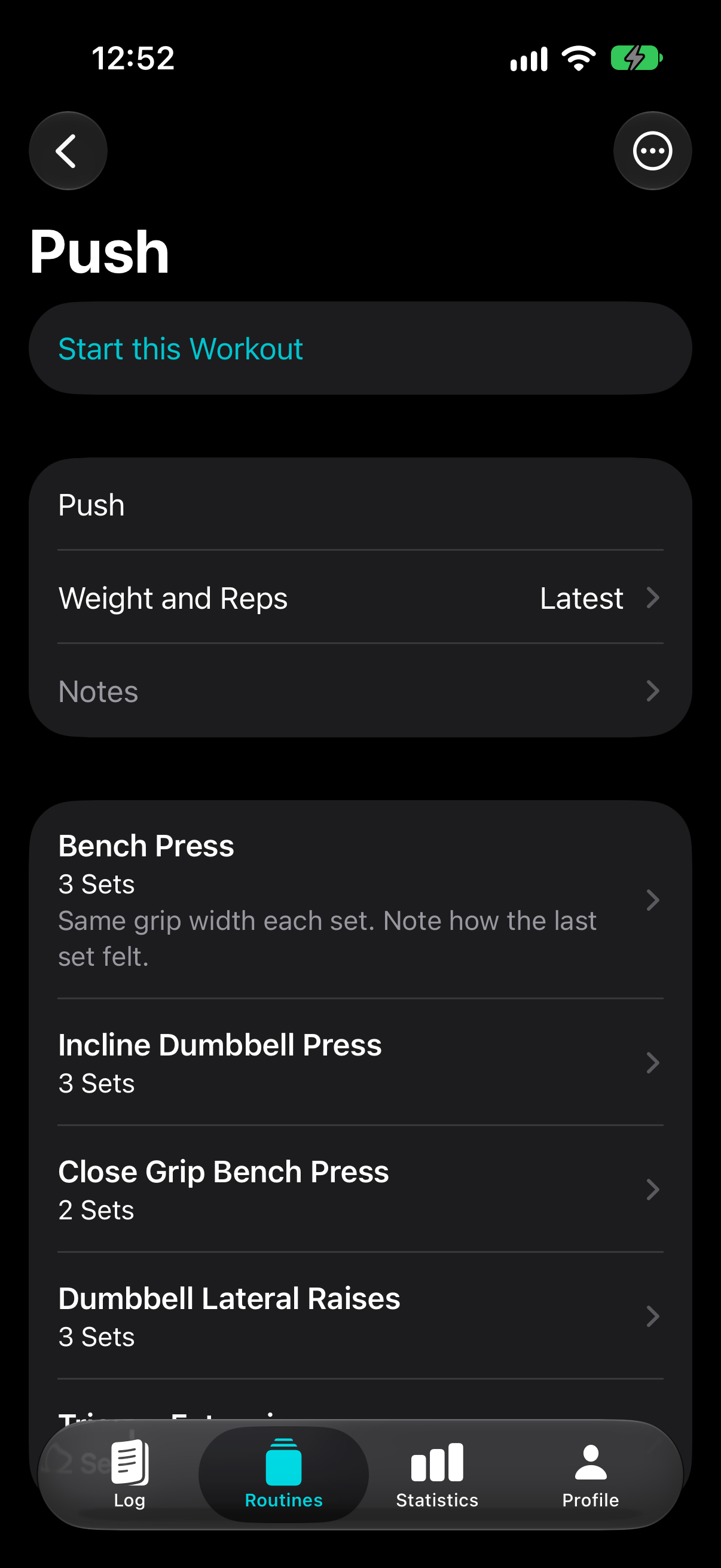
Create a routine for each training day. Add your exercises, set counts and notes, then open the saved routine when it is time to train. Use custom exercises for the variations in your plan.
For example: your Push day
An illustrative routine, matching the first three exercises in the screen. Use your own program’s exercises and set counts.
- Bench press
- 3 sets
- Incline dumbbell press
- 3 sets
- Close-grip bench press
- 2 sets
Routine exercise note: “Same grip width each set. Note how the last set felt.”
02 · Between sets · Free
Check last time. Log today.
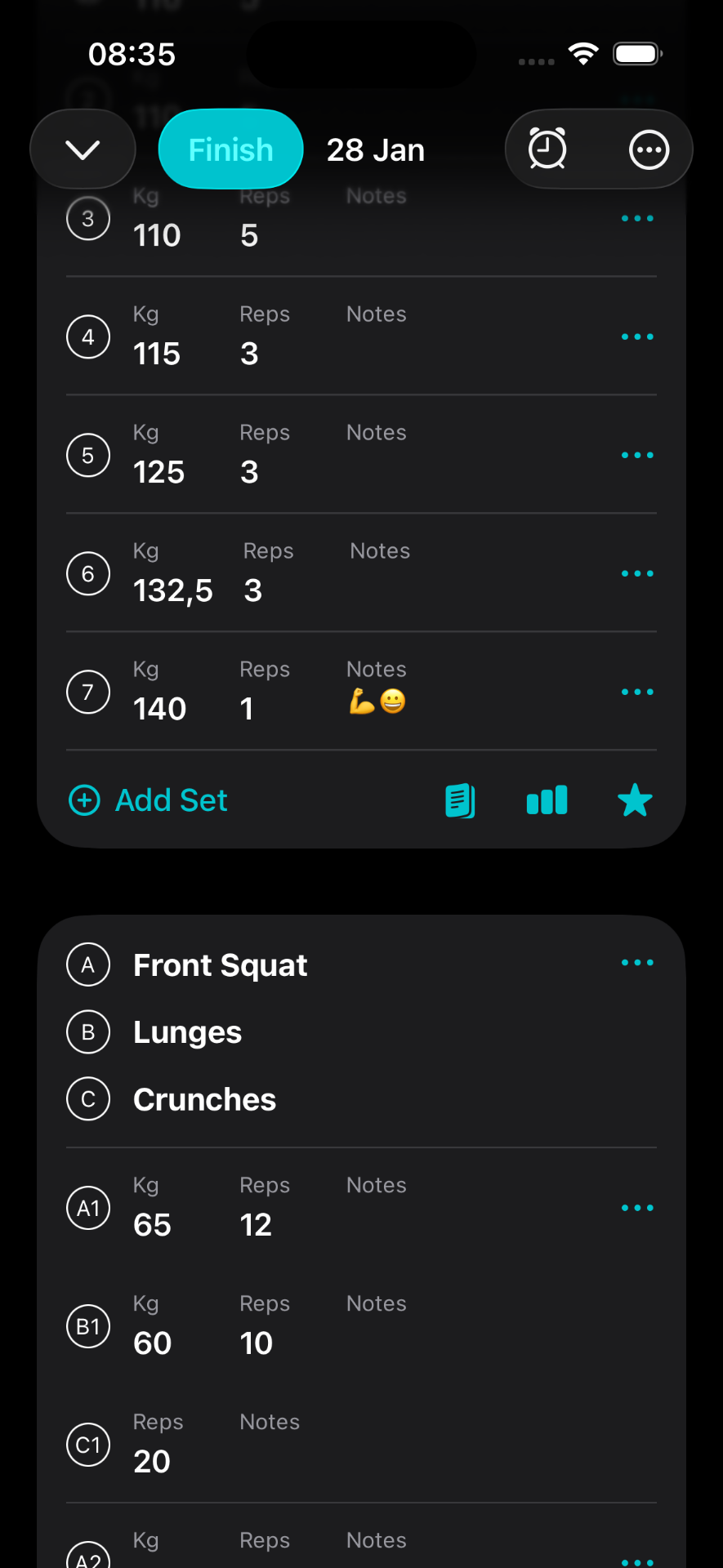
With the routine’s latest-session setting, previous weights and reps appear as hints when you have logged that exercise before. Enter the weight and reps you actually complete, including a set that goes differently from the plan.
One set, one useful comparison
Illustrative bench press entry · separate from the screenshots
- Last session
- 60 kg × 8 reps
- Today’s actual set
- 60 kg × 9 reps
You chose to attempt another rep using your program’s progression rules. RepCount records the result; it does not prescribe your next load.
Previous-value hints are Free. Browsing an exercise’s full history from inside the workout requires Premium. You can open completed workouts in your Free workout log.
03 · Keep the context · Free
Leave yourself more than a number
Notes on each set, exercise and workout are Free. Record the detail that will help you interpret the session next time.
- Set note
- “Last rep slow, kept the pause.”
- Exercise note
- “Bench grip: index fingers on the rings.”
- Workout note
- “Short on time; skipped the final exercise.”
04 · Before the next session · Free
Look back at the work you did
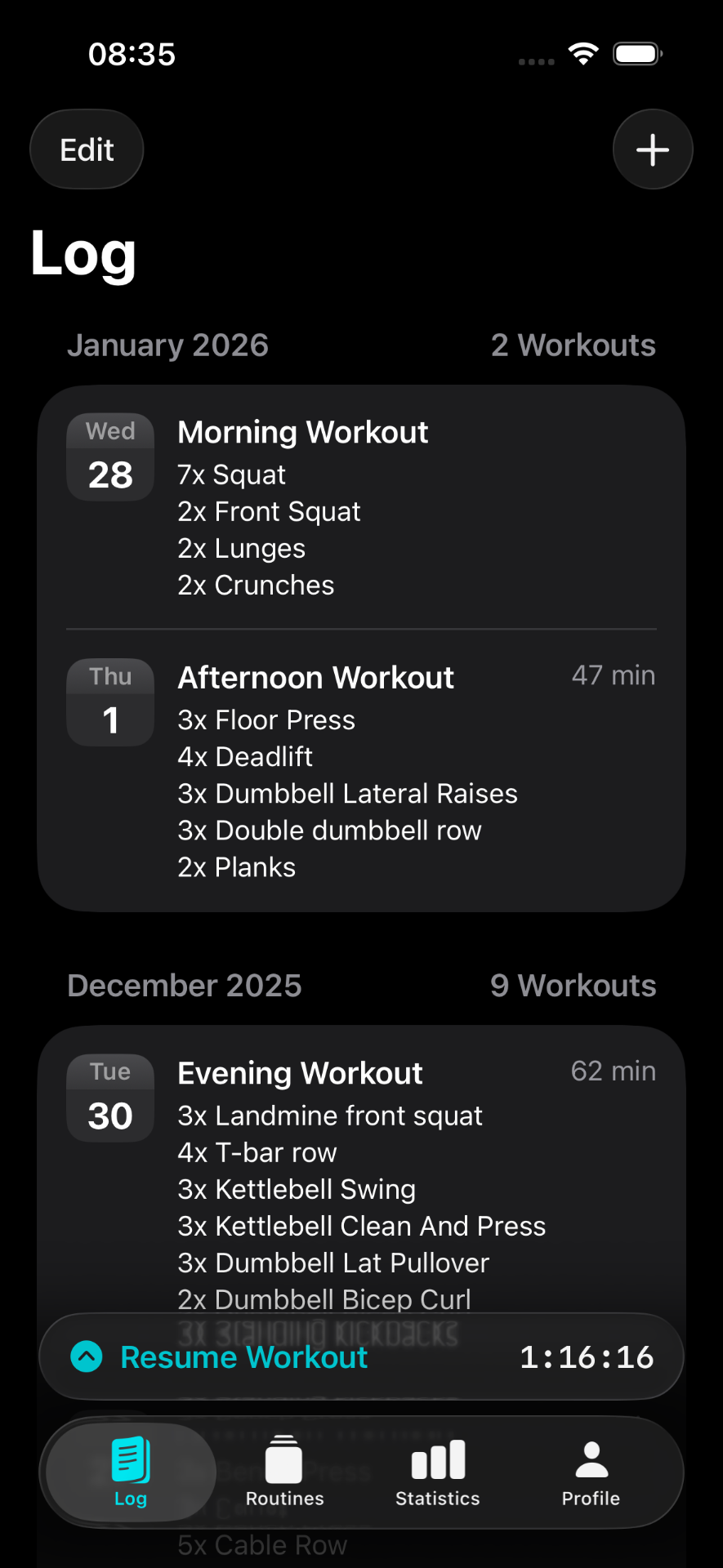
Open a completed workout in your log to revisit its exercises, weights, reps and notes. Your complete workout history is Free, so you can compare sessions without a subscription.
Optional · Premium
See how your training adds up
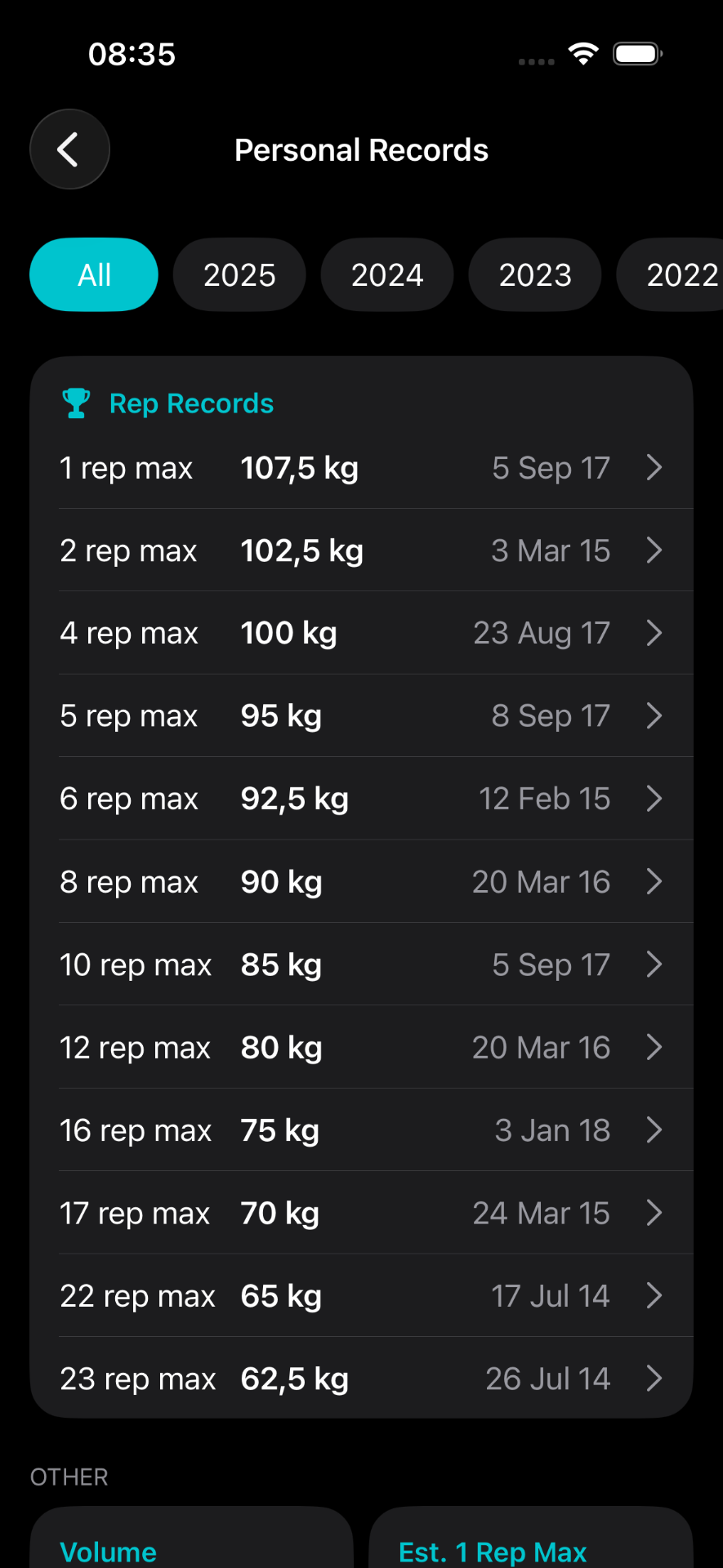
Premium adds detailed progress charts for training volume and estimated one-rep max, plus personal records across rep ranges. Review the longer-term pattern alongside the individual sessions in your log.
Compare all Free and Premium features →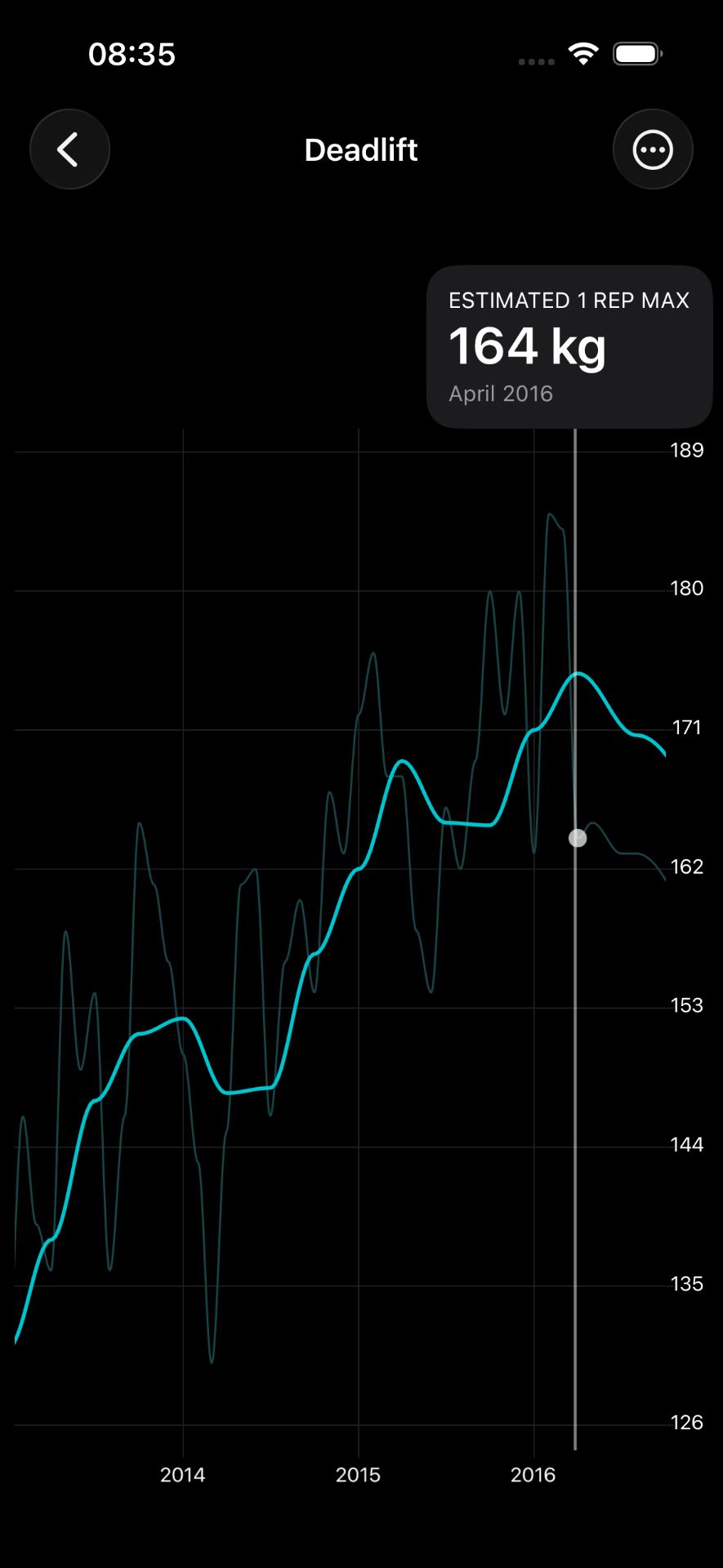
Keep following your own program
A plan from your coach, a routine from a book, or a split you put together yourself. Enter its exercises, set counts and notes as saved routines, then log each session in RepCount.
Follow your program’s guidance on when to add weight or reps. Your log gives you the previous results to work from.
Bring your next session into RepCount
Save one training day and try logging it. Your workouts, routines, custom exercises, notes and completed workout history are Free.
See pricing and the full feature comparisonActual iOS screenshots from the RepCount press kit. They show different example workouts, not one continuous recorded session. Android has its own interface.